HSK Mock Partner Redemption Code Generation Guide
HSK Mock Partner Redemption Code Generation Guide
HSK Mock Partner Dashboard URL: https://partner.hskmock.com
You can generate, view, and manage HSK Mock redemption codes in the Partner Dashboard.
This guide will walk you through the complete process, from logging in and generating redemption codes to viewing details and revoking unused redemption codes.
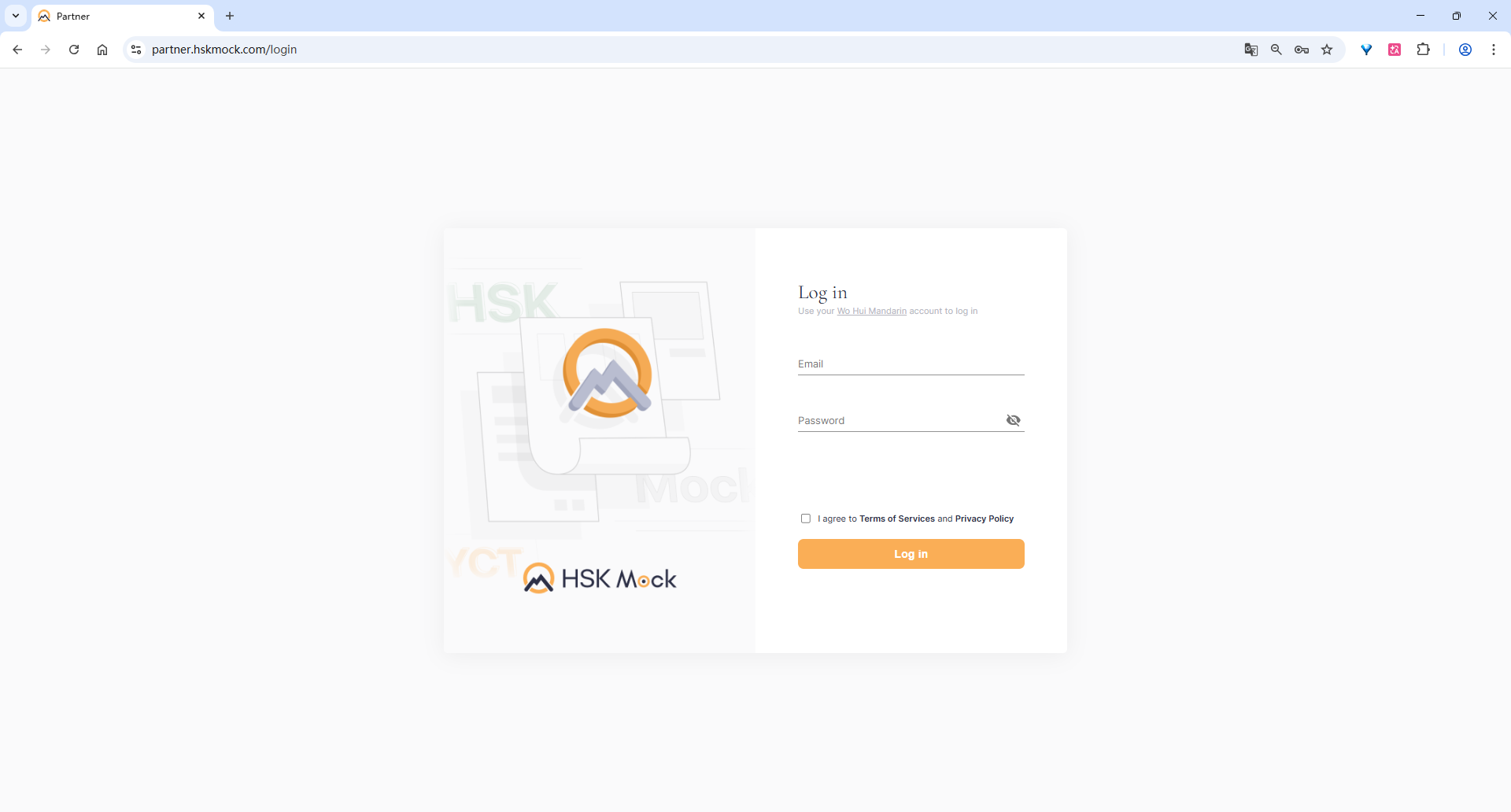
1. Log in to the Partner Dashboard
2. Go to the Purchase Records page
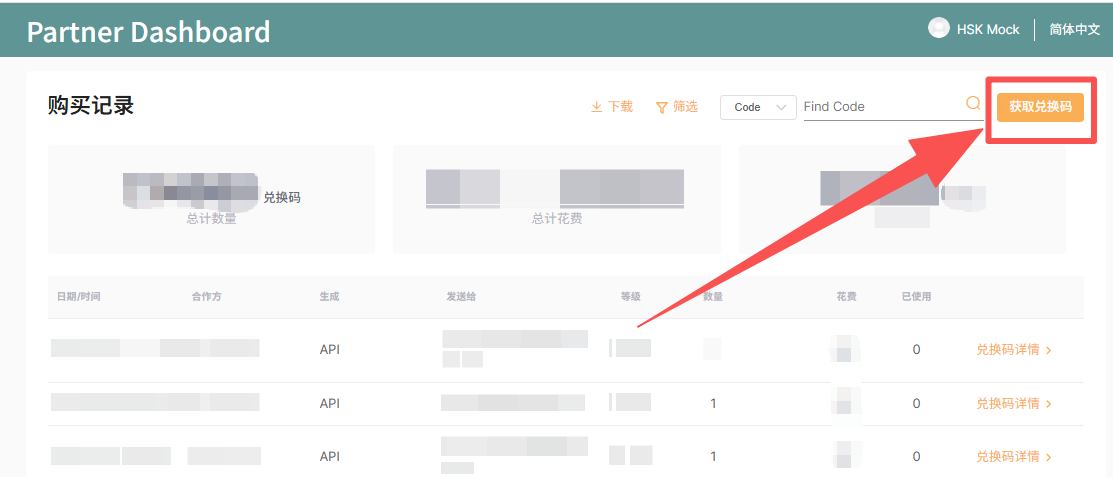
3. Fill in the redemption code information
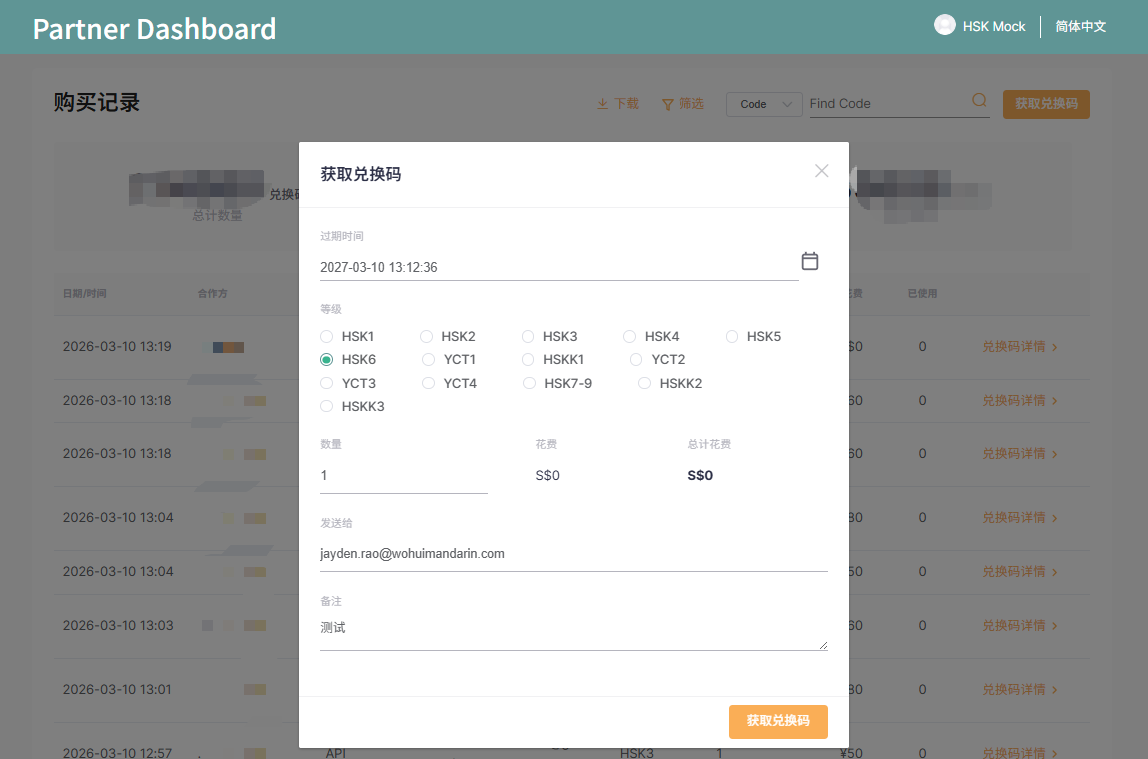
Expiration Date: Set the expiration date of the redemption code. According to the page prompt, the maximum validity period is 1 year.
Level: Select the exam level for this batch of redemption codes, such as HSK1, HSK2, HSK6, YCT, HSKK, etc.
Each redemption code can only be used once. Even if the same paper needs to be retaken, a new redemption code is still required.
Redemption codes can be used for both the old and new versions of HSK.
Redemption codes are downward compatible. This means higher-level redemption codes can be used for lower-level exams. For example, an HSK6 redemption code can also be used for HSK1–HSK5 exams.
HSKK1 stands for HSK Speaking (Beginner) and can also be used for New HSK 3.0 HSK Level 3 Speaking.
HSKK2 stands for HSK Speaking (Intermediate) and can also be used for New HSK 3.0 HSK Level 4 Speaking.
HSKK3 stands for HSK Speaking (Advanced) and can also be used for New HSK 3.0 HSK Level 5 Speaking and HSK Level 6 Speaking.
Quantity: Enter the number of redemption codes you want to generate in this batch.
Cost: This shows your settlement cost price, which is the amount payable to us. If a tiered revenue-sharing model is applied, the price shown on the page may only reflect the first-tier reference price. Please do not worry — the final settlement will be calculated strictly according to the agreed cooperation terms.
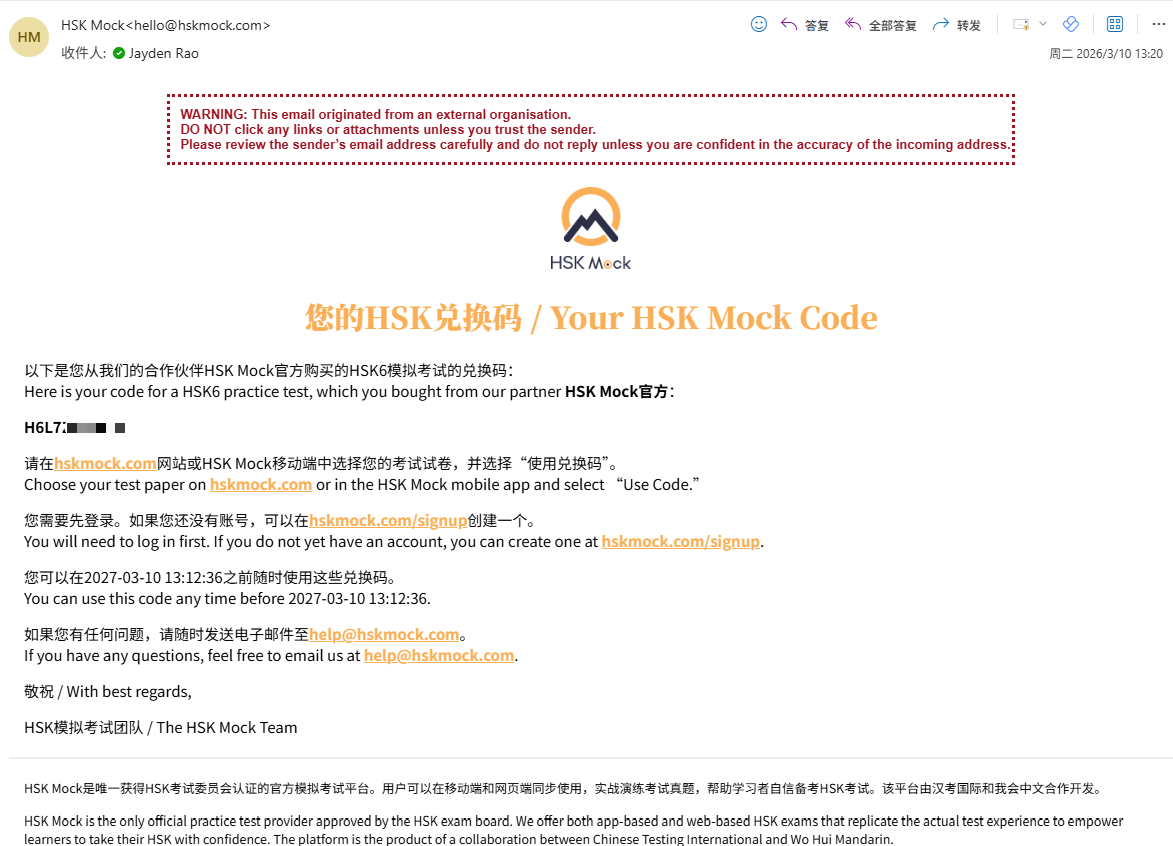
Send To: Enter the email address that will receive the redemption code. The redemption code will be sent to this email address, so please make sure it is entered correctly. The email will look like this:
Notes: Used for internal remarks such as customer name or order information. Notes are only visible to you and will not be shown to the redemption code recipient.
4. View the record after successful generation
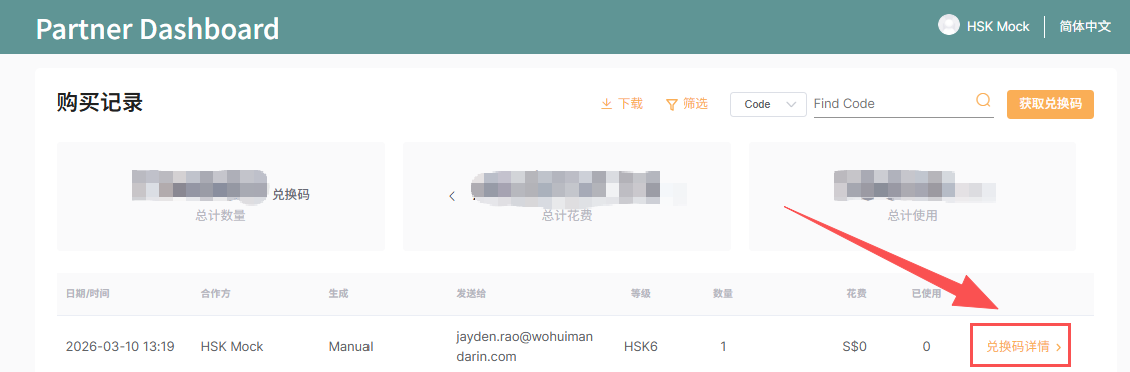
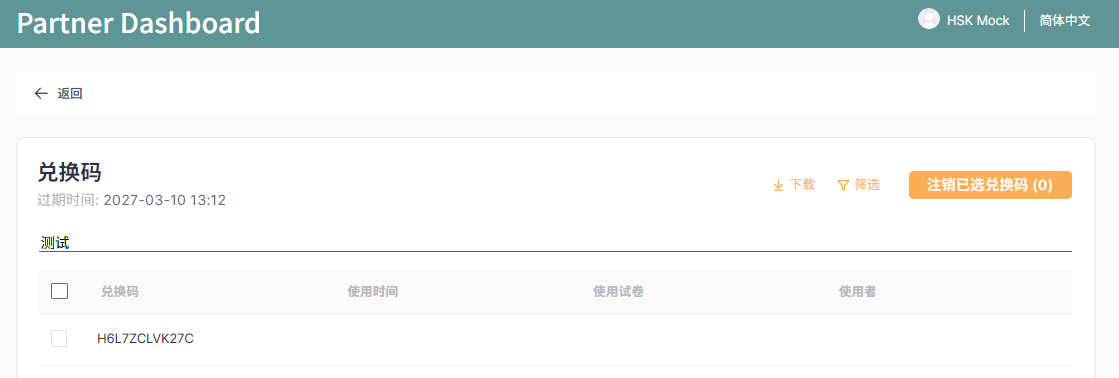
5. View redemption code details
6. Revoke unused redemption codes
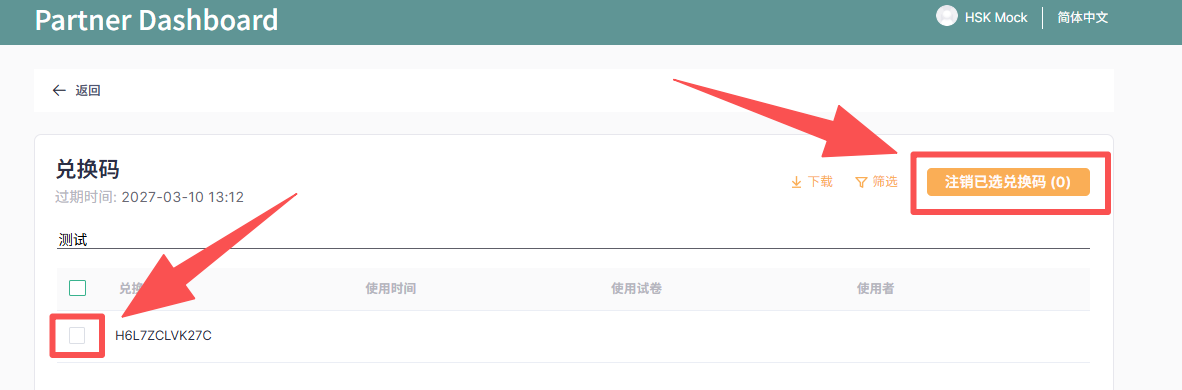
If a redemption code was sent incorrectly and you need to revoke an unused one, please follow these steps:
Go to the corresponding batch’s Redemption Code Details page
Check the box on the left to select the redemption code(s) you want to revoke
Click the orange Revoke Selected Redemption Codes button in the upper-right corner
7. API integration support
If you would like to integrate redemption code functions into your own system, platform, or business workflow, please contact HSK Mock staff. We will provide appropriate integration support based on your actual use case.

