How to Check Your Mock Exam Redemption Code on ChineseTest.cn? 如何在 ChineseTest.cn 查询模拟考试兑换码?
如何在 ChineseTest.cn 查询模拟考试兑换码?
How to Check Your Mock Exam Redemption Code on ChineseTest.cn
考生可以电脑/手机访问 Chinestest.cn 查询购买的兑换码
Candidates can visit Chinestest.cn on a computer or mobile phone to check their purchased redemption codes.
如果遇到问题,请联系 help@hskmock.com
If you encounter any issues, please contact help@hskmock.com.
一、使用电脑查询:
I. Check using a computer:
第一步 :访问 www.chinesetest.cn,点击右上角的登录
Step 1: Go to www.chinesetest.cn and click “Login” at the top right corner.
Step 1: Go to www.chinesetest.cn and click “Login” at the top right corner.

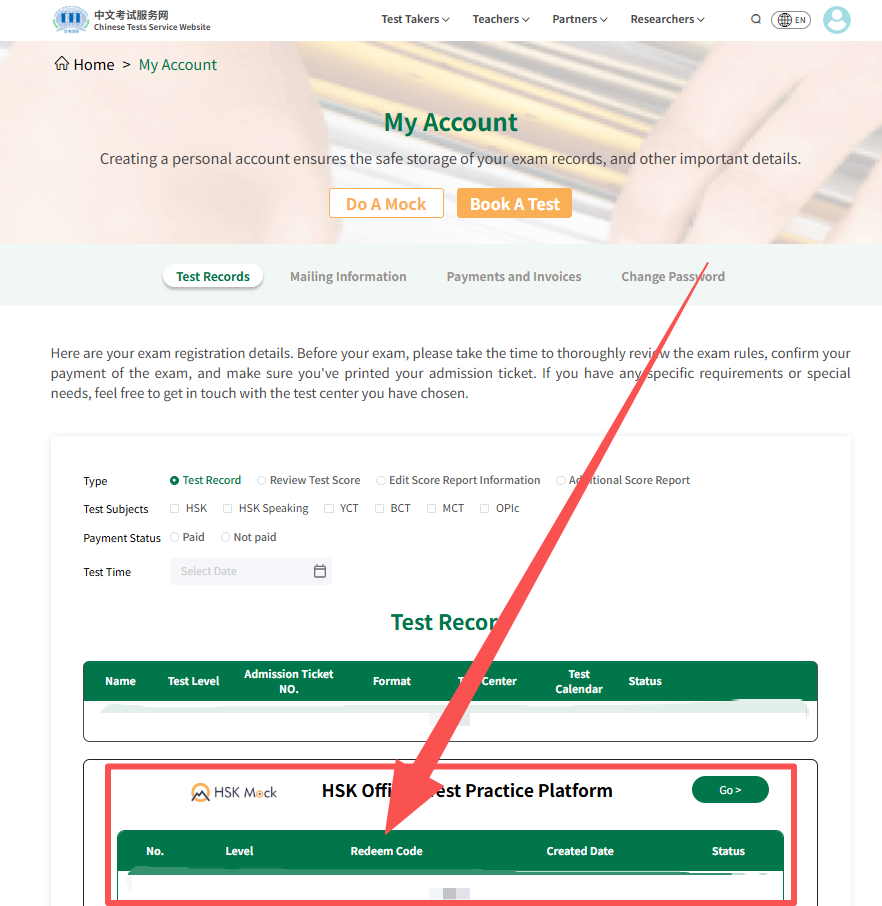
第二步 :将鼠标移至右上角的头像,然后点击 “考试记录”
Step 2: Move your mouse over the avatar at the top right, then click “Exam Records.”
Step 2: Move your mouse over the avatar at the top right, then click “Exam Records.”

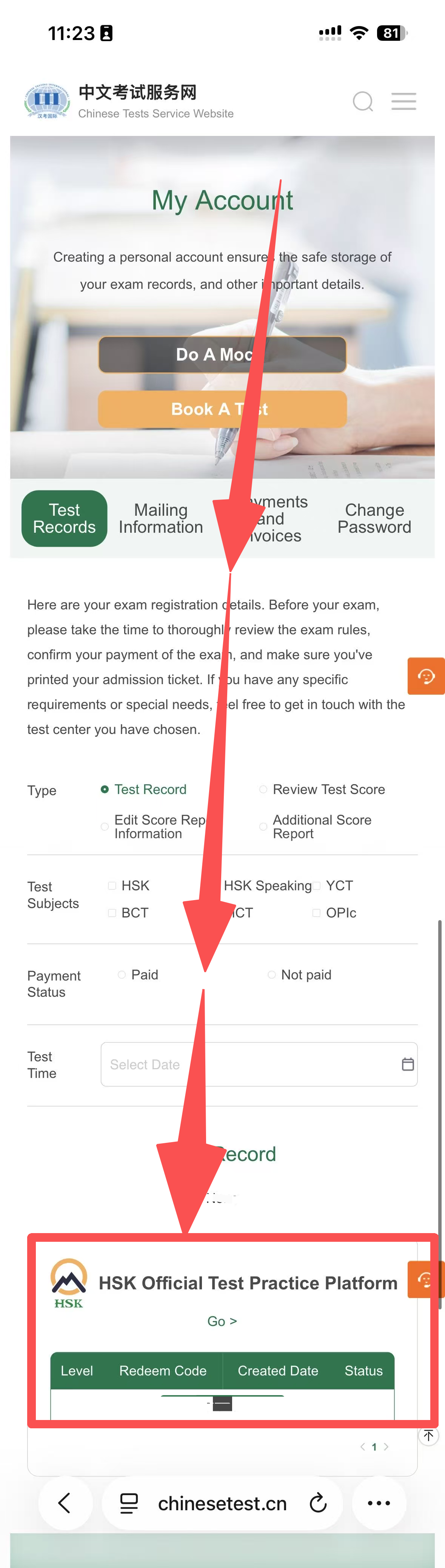
第三步:在页面底部即可找到你的模拟考试兑换码
Step 3: Scroll to the bottom of the page to find your mock exam redemption code.
二、使用手机查询:
II. Check using a mobile phone:
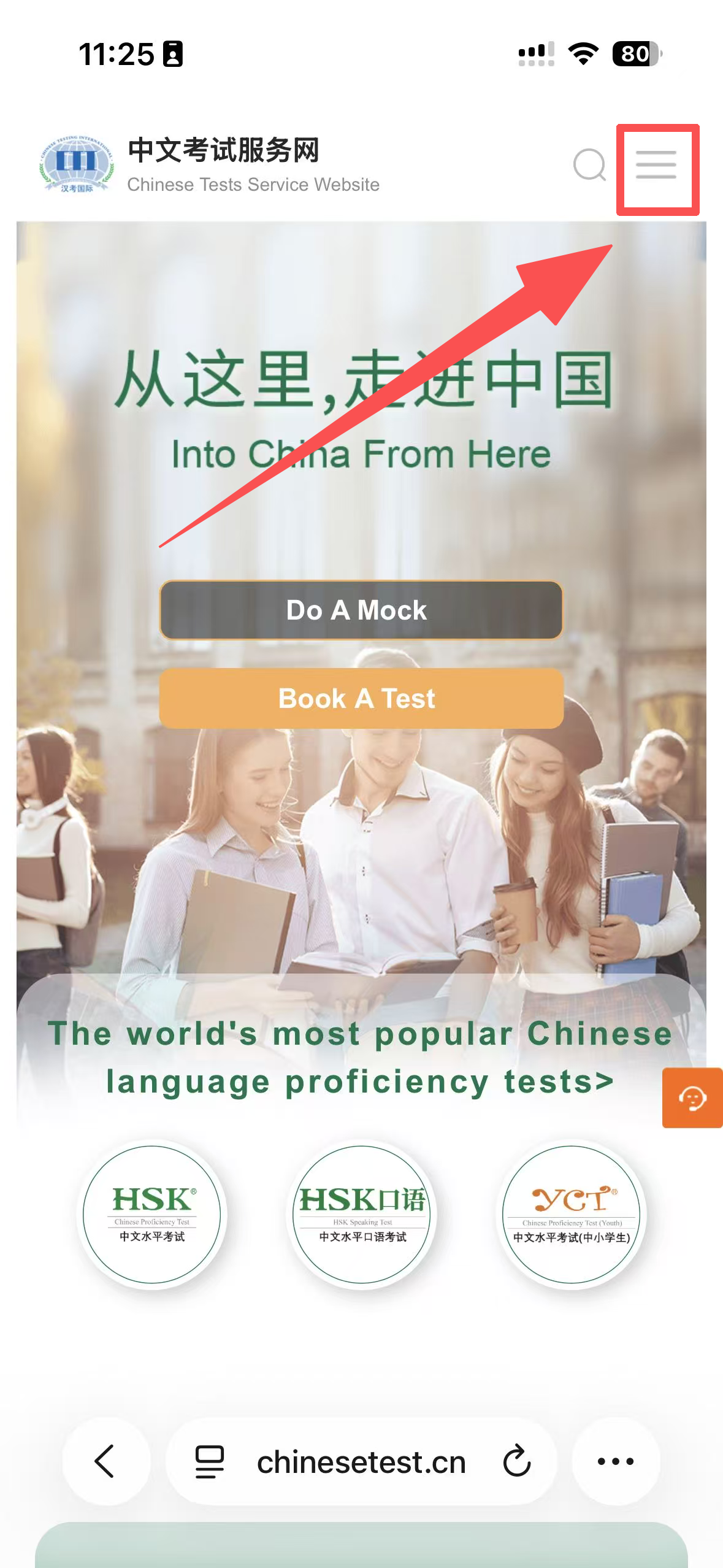
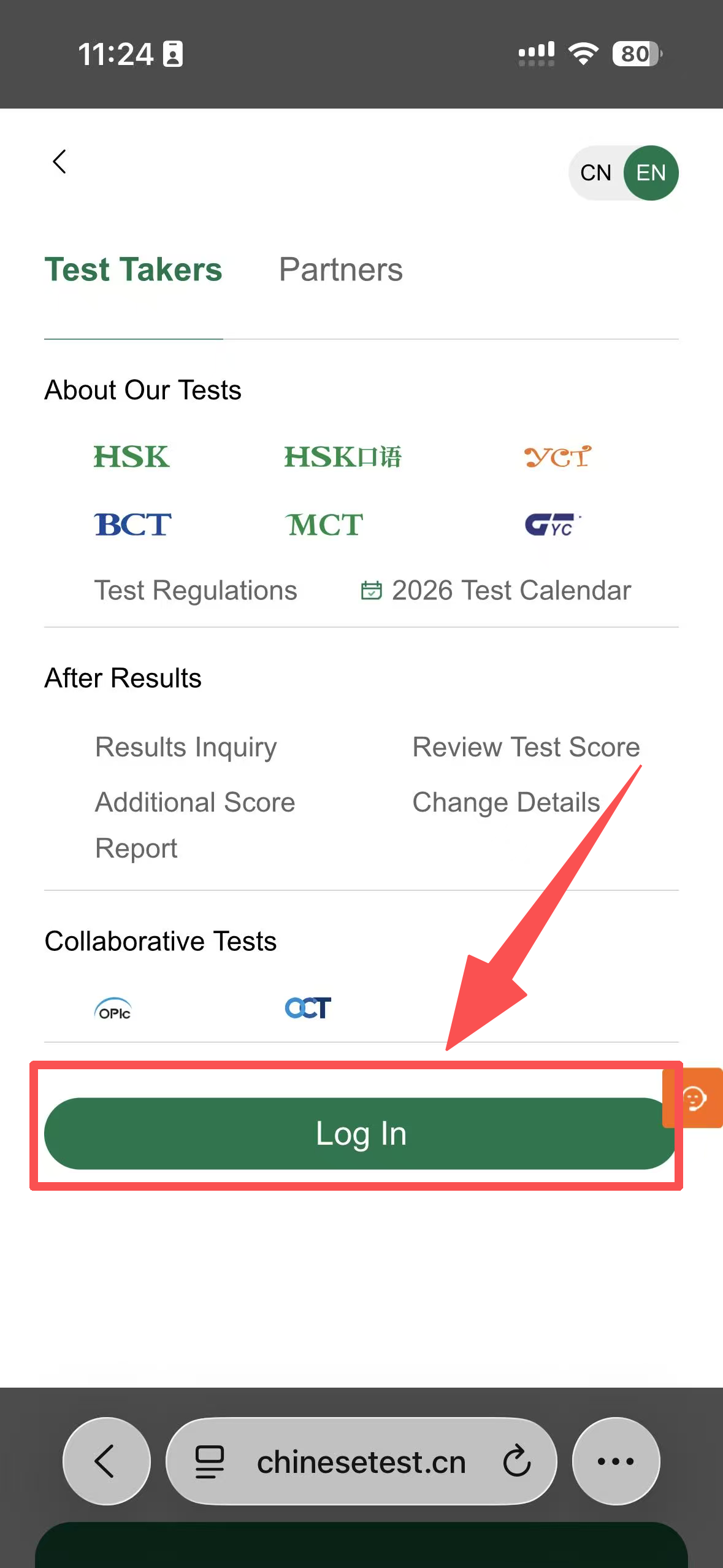
第一步 :访问 www.chinesetest.cn,点击右上角的 “三”,然后点击 “登录”
Step 1: Visit www.chinesetest.cn, tap the “☰” menu in the top right corner, then select “Log In.”
Step 1: Visit www.chinesetest.cn, tap the “☰” menu in the top right corner, then select “Log In.”
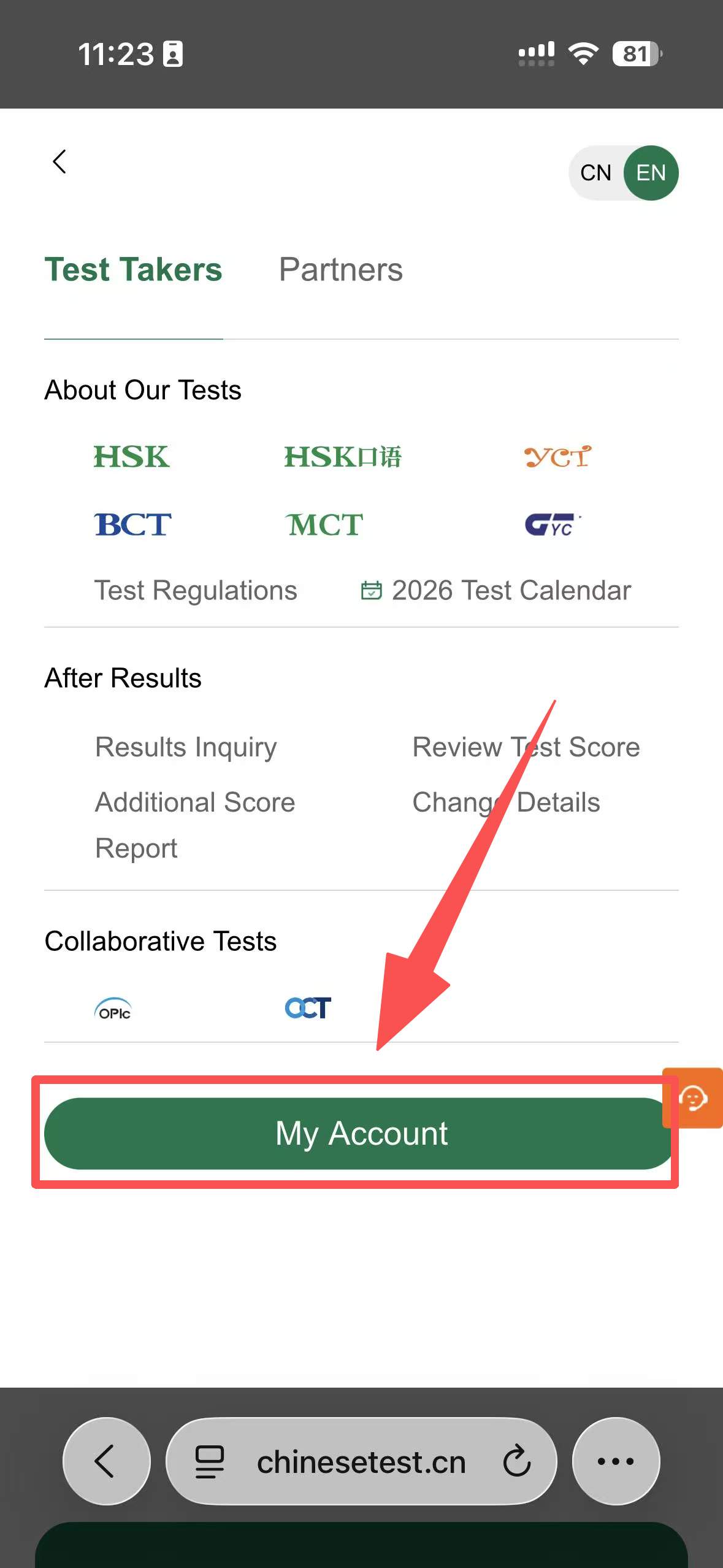
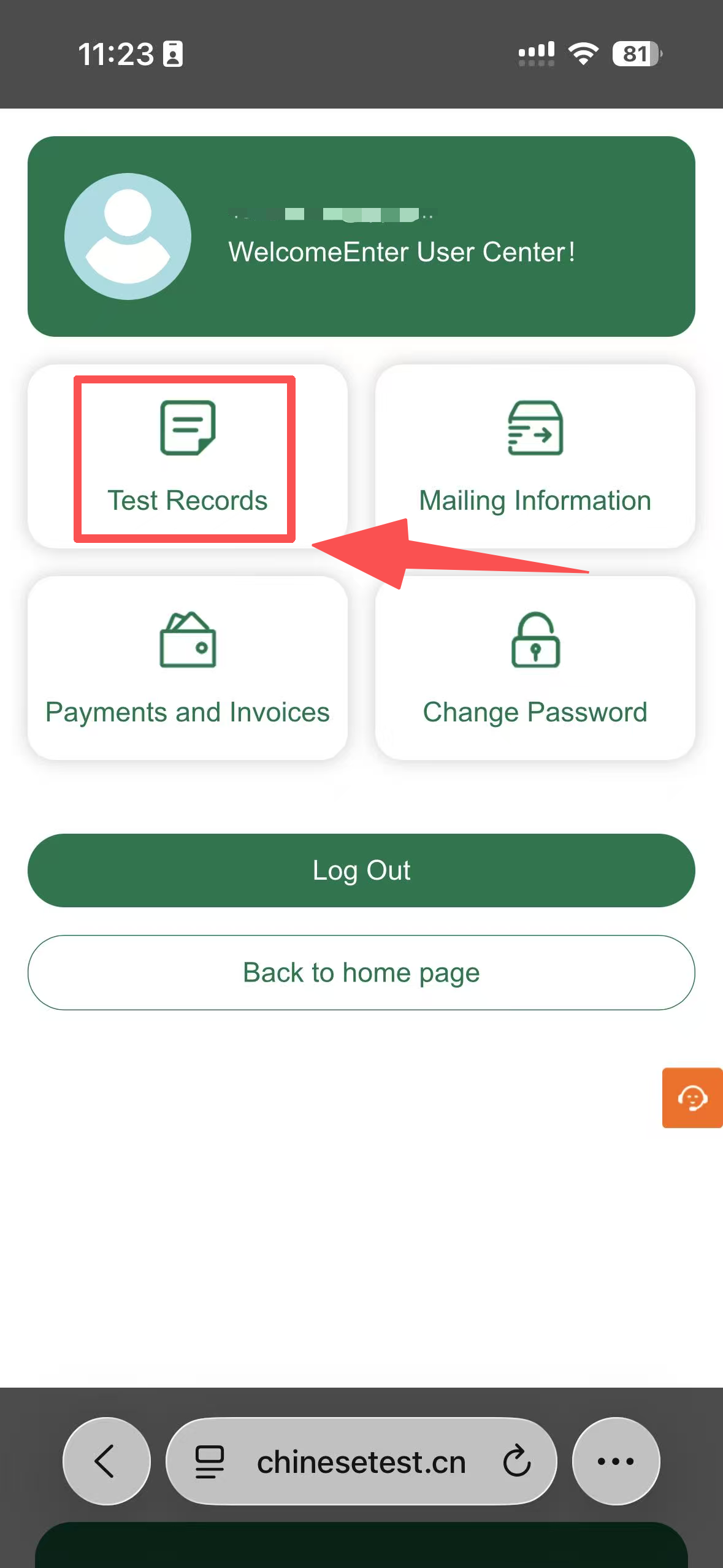
第二步 :点击“我的账号”,再点击“考试记录”
Step 2: Tap “My Account,” then select “Test Records.”
Step 2: Tap “My Account,” then select “Test Records.”
第三步:在页面底部即可找到你的模拟考试兑换码
Step 3: Scroll to the bottom of the page to view your mock exam redemption code.